
A new client finds you on Instagram. She loves your work, taps the link in your bio and lands on a website that looks lovely: soft colours, a gallery, a short bio. Then she looks for a way to book. There is a contact form, a phone number and a line that says “DM us for availability”. It is nine at night, so she closes the tab and books somewhere else that let her pick a time straight away.
That is the quiet cost of a website that cannot take a booking. It looks professional, but it hands the hardest part of the journey back to you as messages, missed calls and follow-ups. For an aesthetics or beauty clinic, the website and the diary should be the same journey, not two separate jobs.
This guide explains what an aesthetic clinic website builder should do, what to put on your site, and how the Faces website builder connects your branded site to online booking, digital consent and the rest of the Faces platform.
Why a pretty website is not enough
Most clinic owners build a website to look credible. That matters, but credibility is only the first step. A visitor arrives with a question in mind: can this person help me, and when can I see them? If the answer to the second part is “send a message and wait”, some visitors will not bother.
A site that is separate from your booking system also creates admin. You copy enquiries into a diary, chase deposits by bank transfer, send consent forms by email and hope everything matches up on the day. Each step is small, but together they eat into the time you would rather spend with clients.
We covered the booking side of this in our guide to online booking for aesthetic clinics and responsible design. The short version: online booking works best when the client can choose a real slot, understand what they are booking and receive the right forms before they arrive.
What an aesthetic clinic website builder should do
A general website builder can make a nice page. An aesthetic clinic website builder needs to fit the way a clinic actually works. When you compare options, look for these basics:
- Booking built in. Visitors should be able to see availability and book without leaving your site or waiting for a reply.
- Deposits and consent in the same flow. If your policy asks for a deposit or a consent form before treatment, the booking process should handle it rather than leaving you to chase it.
- Your brand, not the software’s. Your logo, colours and images should lead, so the site feels like your clinic.
- No coding. You should be able to update your headline, photos and treatments yourself, in minutes, without paying a developer for each change.
- Findable on Google. A site name and page settings that help local clients find you when they search.
- Connected to the rest of your business. Bookings, client records, forms and stock ordering work best when they live in one place.
How the Faces website builder works
The Faces website builder is designed for aesthetics and beauty businesses. On the day we checked the live page, it described a no-code builder that lets you launch a branded website in as little as five minutes, with these steps and features:
- Choose your site name. Pick the name and address people will use to find you, and choose how you appear on Google.
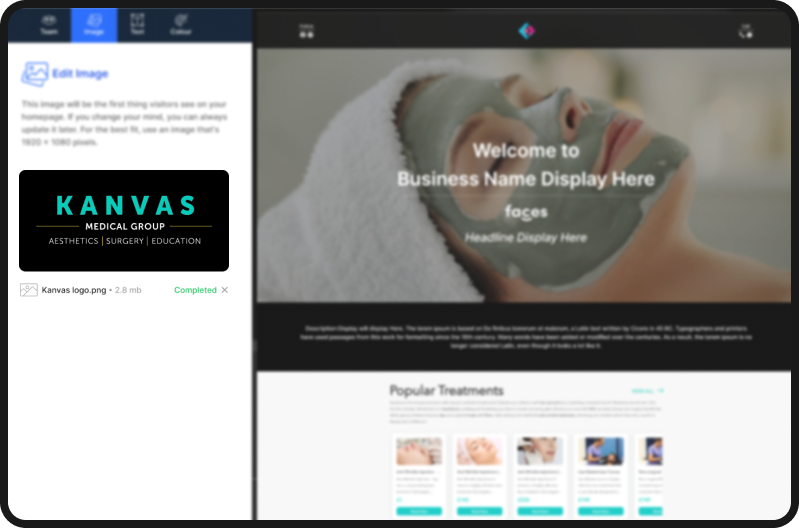
- Upload your images. Add your logo, your own photographs and a website background, so the site looks like your clinic rather than a template.
- Customise your colours. Select colours that match your brand across the site.
- Launch your website. Publish it and share the link on your socials, in your bio and on your business cards.
- Booking and consent built in. The page describes seamless client bookings with real-time calendar syncing, and automated deposits and consent forms for client convenience.
- Google Listing Boost. The page says this is designed to enhance your Google visibility. As with any search feature, results depend on many factors and are not guaranteed.
The basic website is free to start. If you want something more bespoke, the page also offers a paid custom build with support from the Faces tech team. Check the website builder page for current options and pricing before you decide, as these can change.
What to put on your clinic website
A builder gives you the structure. What you put on the site is what persuades a visitor to book. Our earlier article on the elements your aesthetic clinic website needs goes into more detail, but these are the essentials:
A clear headline and who you are
Say what you do and where, in plain words: the treatments you offer, your town or area and who delivers them. Add your qualifications and professional registration where relevant. Clients want to know who will be treating them.
Treatments with honest descriptions
List each treatment with what it involves, how long the appointment takes and what aftercare to expect. Avoid promising results. If you offer treatments that involve prescription-only medicines, remember these cannot be advertised to the public in the UK, so describe the consultation rather than naming the medicine.
Your own photographs
Use your own clinic, team and brand images. Be careful with before-and-after photos: they need the client’s consent, must be accurate and must follow advertising rules. When in doubt, leave them out.
A booking button on every page
Put booking within one tap of every page, especially on mobile. That is where most social media visitors will land.
Policies and practical details
Deposits, cancellations, opening hours, parking and how to get in touch. Clear policies reduce no-shows and awkward conversations later.
Connect your website to booking, consent and aftercare
A Faces website is not a standalone brochure. It sits on the same platform you use to run your diary. When a client books through your site, the appointment can go straight into your Faces calendar. You can then send the right digital consent forms before the visit and aftercare forms afterwards, all kept with the client record.
That connection is the point. Our posts on digital consent forms beyond the signature and aftercare forms for aesthetic clinics explain how each step works. The website brings the client in, and booking, consent and aftercare carry them through the appointment.
For more on growing a clinic without piling up costs, watch Ash’s video Stop paying for growing your aesthetic business.
Finish the experience in the treatment room
Your website sets expectations. The visit should match them. Small, consistent touches help a new client feel they have chosen a well-run clinic, and you can order them from the same Faces platform as your bookings. On the day we checked, the Faces shop listed:
- Branded-feel take-home packaging. gift bags (pack of 10) and a gift box set (pack of 5) for aftercare items or retail purchases, with more in the aftercare bags category.
- Printed aftercare reminders. Cards such as chemical peel aftercare cards (pack of 25), with more treatments in the treatment aftercare cards range, to sit alongside your digital aftercare form.
- Treatment room basics. Everyday consumables such as blue and white couch rolls, with more in the couch rolls category.

Prices and stock change, so check each listing before you order.
Why clinics choose Faces
Faces is a booking system with a built-in pharmacy and marketplace. You can build your website, take bookings, collect consent and order clinic stock from the same Faces platform, instead of paying for a separate website host, diary app, forms tool and several supplier accounts. Faces includes Faces Pharmacy and a multi-seller marketplace, so clinics can buy products without leaving the system. Read more in our post on the booking system with a built-in pharmacy, or see why Faces is the booking system your aesthetic clinic needs.
If you work with a prescriber, the find a prescriber directory helps you search for prescribers and clinics on the platform.
Faces supports a smoother client journey and clearer records. It does not replace professional judgement, and a website or booking tool does not by itself make a clinic compliant with advertising or regulatory rules. That responsibility stays with the practitioner and the clinic.
For more clinic growth tips, subscribe to Ash from Faces on YouTube and the Faces Pharmacy YouTube channel, and follow Faces on Instagram, TikTok and LinkedIn.
Build your clinic website this week
Set aside half an hour. Gather your logo, three or four of your own photos and a short description of each treatment. Then open the Faces website builder, choose your site name, add your images and colours, and connect it to your booking calendar. If you do not have a Faces account yet, register free first.
FAQs
What is an aesthetic clinic website builder?
It is a tool for creating a clinic website without coding, designed around how aesthetics and beauty businesses work. A good one includes online booking, deposits and consent forms, so visitors can book directly from your site.
Is the Faces website builder free?
The live Faces website builder page describes a free website you can build in under five minutes, plus an optional paid custom build. Check the page for current options and pricing.
Can clients book appointments from my Faces website?
Yes. The Faces website builder is part of the Faces platform, and the live page describes client bookings with real-time calendar syncing, plus automated deposits and consent forms.
Do I need technical skills to use it?
No. Faces describes it as a no-code builder: you choose a site name, upload your logo and images, pick your colours and launch.
Will a website builder get my clinic to the top of Google?
No tool can guarantee rankings. The Faces page describes a Google Listing Boost feature designed to improve visibility, but results also depend on your content, reviews, location and competition.
Can I advertise prescription treatments on my clinic website?
Prescription-only medicines cannot be advertised to the public in the UK. Describe the consultation and the service instead, and follow the ASA, CAP and MHRA rules.
This article is general information for aesthetics and beauty professionals and is not legal, regulatory or marketing advice. Feature descriptions reflect the live Faces website builder page on 14 November 2026 and may change.
Ashley James Simpson-Davies INP MSc RN