
Faces Consent is a comprehensive digital platform designed for aesthetic practitioners, clinics, and medical professionals. It provides a secure, centralised system to manage all aspects of client consent and clinic operations, helping streamline administrative tasks and improve workflow efficiency. Practitioners can create, store, and manage custom digital consent forms for a wide range of treatments, ensuring that clients’ approvals are legally compliant and easily accessible.
In addition to consent management, Faces Consent offers tools for appointment scheduling, client record management, and business services such as insurance quotes, training provider access, and industry guidance. By integrating these features, the platform allows clinics to focus more on delivering high-quality care while reducing paperwork and administrative burdens. Faces Consent is trusted by practitioners for its reliability, security, and ease of use, making it a valuable tool for managing both day-to-day operations and long-term client relationships.
How to Contact Faces Consent Support
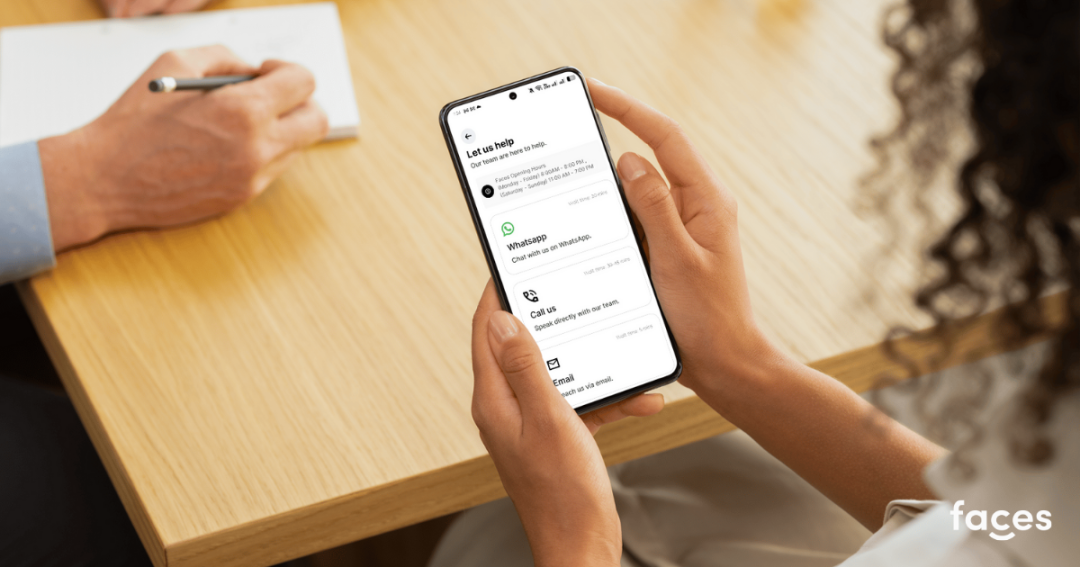
Faces Consent provides multiple official channels to ensure users and practitioners can get help whenever they need it. The support team is professional, responsive, and knowledgeable, able to assist with technical issues, account queries, or general guidance on using the platform effectively.
Email Support
For most enquiries, email is a reliable way to contact the Faces Consent support team. You can send your questions to [email protected], where the team will respond promptly. Email is ideal for issues that require detailed explanations, supporting documents, or screenshots. The support team strives to provide clear, step-by-step guidance to resolve queries efficiently.
Phone Support
If you prefer to speak directly with a support representative, you can call 01785 558018. The phone line is staffed during business hours by knowledgeable team members who can assist with account problems, login issues, and other platform-related queries. Speaking to someone directly often allows for faster clarification and immediate troubleshooting, which can be particularly helpful for urgent matters.
WhatsApp Support
For real-time communication, Faces Consent also provides support via WhatsApp at 07999 875249. This option is convenient for quick questions, updates, or brief explanations. Messages sent through WhatsApp are monitored by the support team during office hours, providing timely responses while maintaining privacy and professionalism.
Contact Form
Users can submit a support or enquiry form directly through the Faces Consent contact page. Using the contact form ensures your request is automatically routed to the correct department, helping to reduce delays in response. When completing the form, include essential information such as account details, a clear description of the issue, and any relevant screenshots. This helps the support team respond accurately and efficiently.
Help Centre and FAQs
Before contacting support, users are encouraged to explore the Faces Consent FAQs. The Help Centre offers detailed guidance on a wide variety of common questions, including managing accounts, booking appointments, resolving app errors, and understanding consent procedures.
The FAQs are regularly updated to reflect the latest platform features and user concerns. They are designed to be intuitive and easy to navigate, often allowing users to resolve minor issues without needing to reach out to support. Using the Help Centre can save time and provide immediate answers for both practitioners and clients.
Account and Login Assistance
If you experience difficulties logging into your Faces account, the support team can assist you in recovering access quickly and securely. They can guide you through resetting passwords, recovering usernames, or troubleshooting login errors. Providing detailed information about the issue when contacting support, such as error messages or device information, helps ensure a faster resolution.
The team takes a professional and methodical approach to account-related issues, prioritising security while helping users regain full access to their accounts with minimal disruption to their workflow or client services.
Tips for Effective Communication
To receive assistance as quickly as possible, users should provide clear, concise, and complete information when contacting Faces Consent. This includes a detailed description of the issue, relevant account details, and any screenshots or error messages.
Using official channels—email, phone, WhatsApp, or the contact form ensures secure and trustworthy communication. The Faces Consent support team is dedicated to helping users efficiently while maintaining a professional, helpful, and courteous tone. Clear communication helps them provide faster, more accurate solutions, improving the overall support experience for everyone.
Official Contact Details:
- Email: [email protected]
- Phone: 01785 558018
- WhatsApp: 07999 875249
- Contact Form: https://facesconsent.com/say-hello
- FAQs: https://facesconsent.com/faqs