
It is Thursday evening and the diary for Saturday is full. One client has moved from a lip consultation to a skin appointment, two new clients have booked a first assessment, and you have just noticed the couch roll is down to its last few metres. The booking app is open on your phone. The supplier you normally use is a separate login, on a separate website, with a basket you started three weeks ago and never finished.
Most aesthetics practitioners will recognise some version of that moment. The work that fills the diary and the stock that makes the work possible live in different places, so planning one never quite reminds you about the other. This article looks at why a growing number of clinics prefer an aesthetics booking system with a pharmacy and marketplace built in, what that does and does not change, and how Faces approaches it.
The hidden cost of running booking and buying in separate places
A separate supplier account is not a disaster. Plenty of excellent clinics run that way. The friction is quieter than that, and it tends to show up in four places.
- Context switching. You look at the diary in one tool, then try to remember what those appointments will use when you are on a different website. Small items such as gloves, wipes, couch roll and aftercare products are the easiest to forget, because nobody books an appointment for them.
- Scattered records. Appointment details, consent forms and order history end up in different inboxes and apps. When you want to look back at a busy month, you are piecing it together by hand.
- More logins to manage. Every extra account is another password, another set of saved addresses and another place where a team member might need access.
- Last-minute orders. When stock planning is not prompted by the diary, it is often prompted by an empty box, which is the most expensive and stressful time to buy.
None of these problems is solved by software alone. A clinic still needs a sensible stock list, reorder points and a person responsible for checking deliveries. Our guide to building a smarter stock plan for clinic consumables walks through that side in detail. What a combined platform can do is put the reminder and the route to buy in the same place you already open every day.
What “a booking system with a built-in pharmacy” actually means
The phrase gets used loosely, so it is worth being precise. At Faces it means three connected parts of one platform:
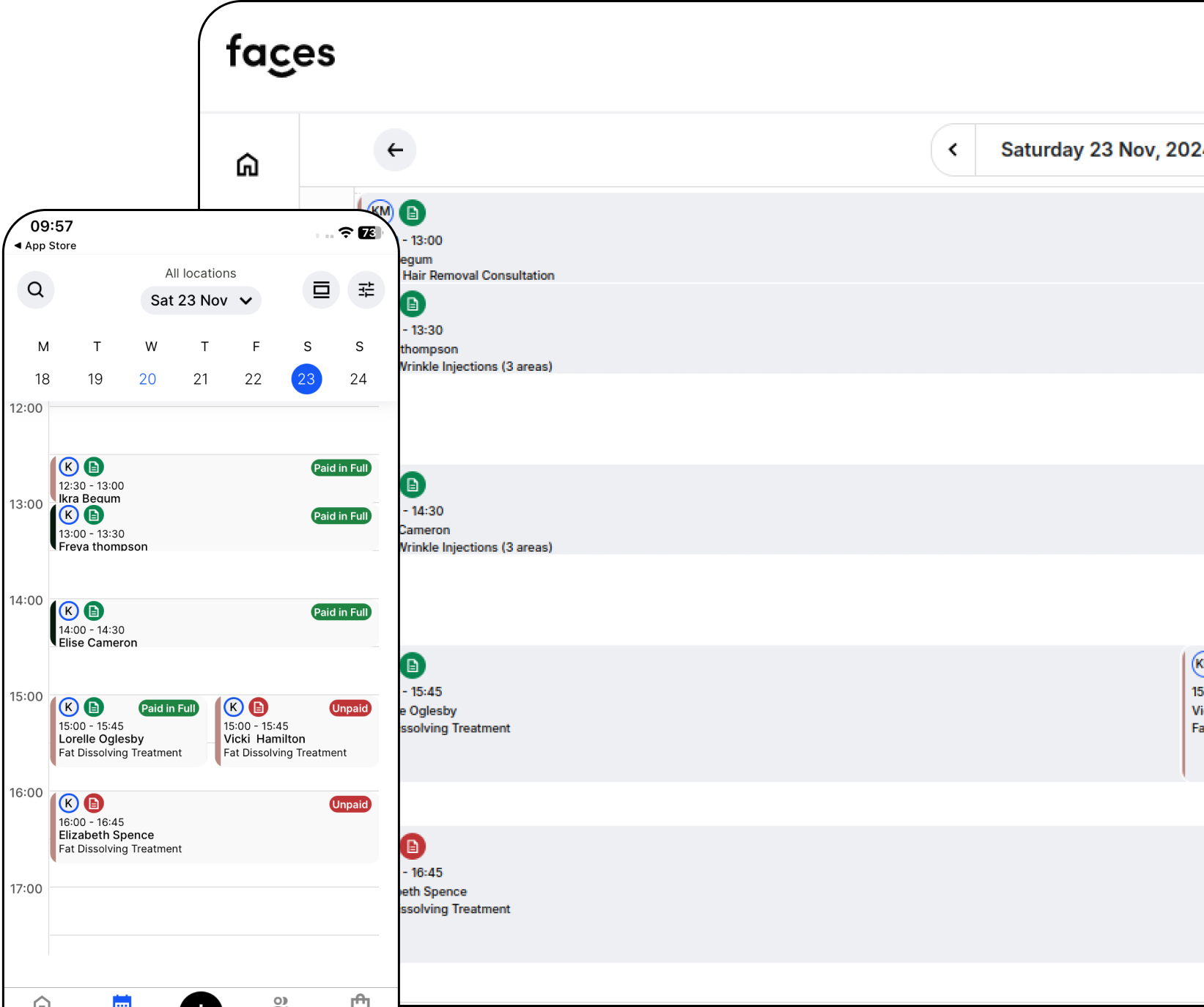
- Clinic software. Online booking and diary management, digital consent forms, digital aftercare forms, client records and team tools, available on the web and in the Faces app.
- Faces Pharmacy. Faces Pharmacy is the pharmacy and supply side of the business, supplying aesthetics stock, consumables and clinic products.
- A multi-seller marketplace. The Faces shop brings together products from Faces Pharmacy and other sellers, so clinics can compare and order without leaving the system.
Put simply, you can book appointments, take consent and order clinic stock from the same Faces platform. That is the core idea. It is not a claim that Faces is the only system of its kind. Other clinic platforms offer stock tools or integrations with outside pharmacies, and that is a perfectly valid approach. The difference with Faces is that product ordering is built into the same app as booking and consent, through Faces Pharmacy and a marketplace of sellers, rather than handed off to a separate supplier website.
What clinics typically order through the Faces shop
The everyday items are where the time savings add up, because they are bought often and forgotten easily. A few examples from the live Faces shop:
| Clinic need | Where to look on Faces | Example listing |
|---|---|---|
| Couch cover between clients | Couch rolls | Bed / couch roll (blue/white) |
| Surface cleaning between appointments | Consumables | Clinell Universal Sanitising Wipes (bucket of 225) |
| Hand protection | Gloves | Choose by size and material in the PPE category |
| Skin preparation and aftercare | Aftercare | Clinisept+ Skin 490ml |

Prices, stock and sellers change, so always check the listing, the seller details and any storage or usage information before you order. Regulated products are only available to appropriately qualified buyers, and nothing on this page is a recommendation to buy a particular medicine.
How booking, consent and stock fit together day to day
Here is how the Thursday evening scene above can look when everything sits in one place.
1. Start from the diary
Open the week ahead and look at what is actually booked. A run of skin appointments uses different consumables from a day of consultations. Reading the diary first turns stock planning into a five-minute habit instead of a guess. Our piece on booking software as a connected workflow explains why the diary is the best starting point for the rest of the clinic’s admin.
2. Check consent and forms are ready
Faces lets you send consent forms before the appointment, so you can see who has completed them and who has not. That is a better conversation to have on Thursday than at the door on Saturday. Digital forms support good consent; they do not replace the discussion with your client, and you remain responsible for clinical decisions.
3. Top up stock in the same app
With the week in front of you, switch to the shop, add the routine items you need and check out. You have not opened a new tab, found a different password or tried to remember what the diary said. If you prescribe, or work with a prescriber, you can also find a prescriber through Faces for treatments that need one.
4. Close the loop with aftercare
After the appointment, send aftercare from the same record. Over time, that gives you a clearer picture of each client’s journey, from booking to consent to aftercare, without stitching it together from several systems.
Why Faces
Faces was founded by Ash Simpson-Davies, a registered nurse, to build clinic software around the way aesthetics work actually runs. You can see that in how the platform is organised: booking, consent and aftercare are designed around the treatment room, and the shop is designed around the stock cupboard.
- Built for aesthetics. Booking, consent and aftercare are set up for aesthetics and clinical beauty rather than a general salon diary. We wrote about why that matters in why generic booking systems fall short for aesthetic professionals.
- A booking system with a built-in pharmacy and marketplace. Faces includes Faces Pharmacy and a multi-seller marketplace, so clinics can buy products without leaving the system.
- One record for the client journey. Appointments, forms and aftercare stay together, which makes reviewing your own practice easier. Our founder’s view on practice management software and clinic services goes into the thinking behind that.
- Mobile and desktop. Use Faces in the browser or download the app from the App Store or Google Play.
Faces supports safer, tidier admin. It does not guarantee legal compliance or clinical outcomes, and it is not a substitute for your own professional judgement, training and insurance.
Watch: Ash on the Faces booking system
Ash’s short video, “The best aesthetics booking system”, introduces the Faces booking system from his own YouTube channel.
For more clinic tips and walkthroughs, subscribe to Ash from Faces on YouTube and the Faces Pharmacy YouTube channel. You can also follow us on Instagram @facesconsentapp, TikTok @facespharmacy and LinkedIn.
Bring booking and stock into one place
If your diary and your supplier still live in separate tabs, try running a week from one platform. Create a free Faces account, set up your services and consent forms, and see how it feels to plan appointments and top up stock in the same place.
FAQs
Is Faces the only booking system with a built-in pharmacy?
We do not make that claim. Other clinic systems offer stock tools or integrations with outside pharmacies. Faces combines clinic software with its own pharmacy brand, Faces Pharmacy, and a multi-seller marketplace inside the same platform.
Can anyone buy anything in the Faces shop?
No. Many everyday consumables, PPE and aftercare products are open to clinics, but regulated and prescription-only products are only supplied to appropriately qualified buyers, with the checks the law requires. Always read the listing before you order.
Does my booking diary order stock automatically?
Do not assume that it does. The benefit is that the diary and the shop are in the same platform, so reviewing upcoming appointments and ordering what you need becomes a quick routine. Confirm how any feature works for your own account.
Are all products sold by Faces Pharmacy?
Not always. The marketplace includes multiple sellers. Check the seller, delivery and returns information on each listing.
How do I get started?
Sign up through the Faces registration page, then add your services, set up consent forms and explore the Faces shop.
Ashley James Simpson-Davies INP MSc RN